
Read & export
Rich content, original data, images, and reusable exports.
The reader reconstructs a complete conversation around a search result or an archive entry. It keeps normalized user, reasoning, and assistant turns together with available model and time metadata. Rich presentation makes a saved answer easier to read while the underlying source remains available for copy and export.
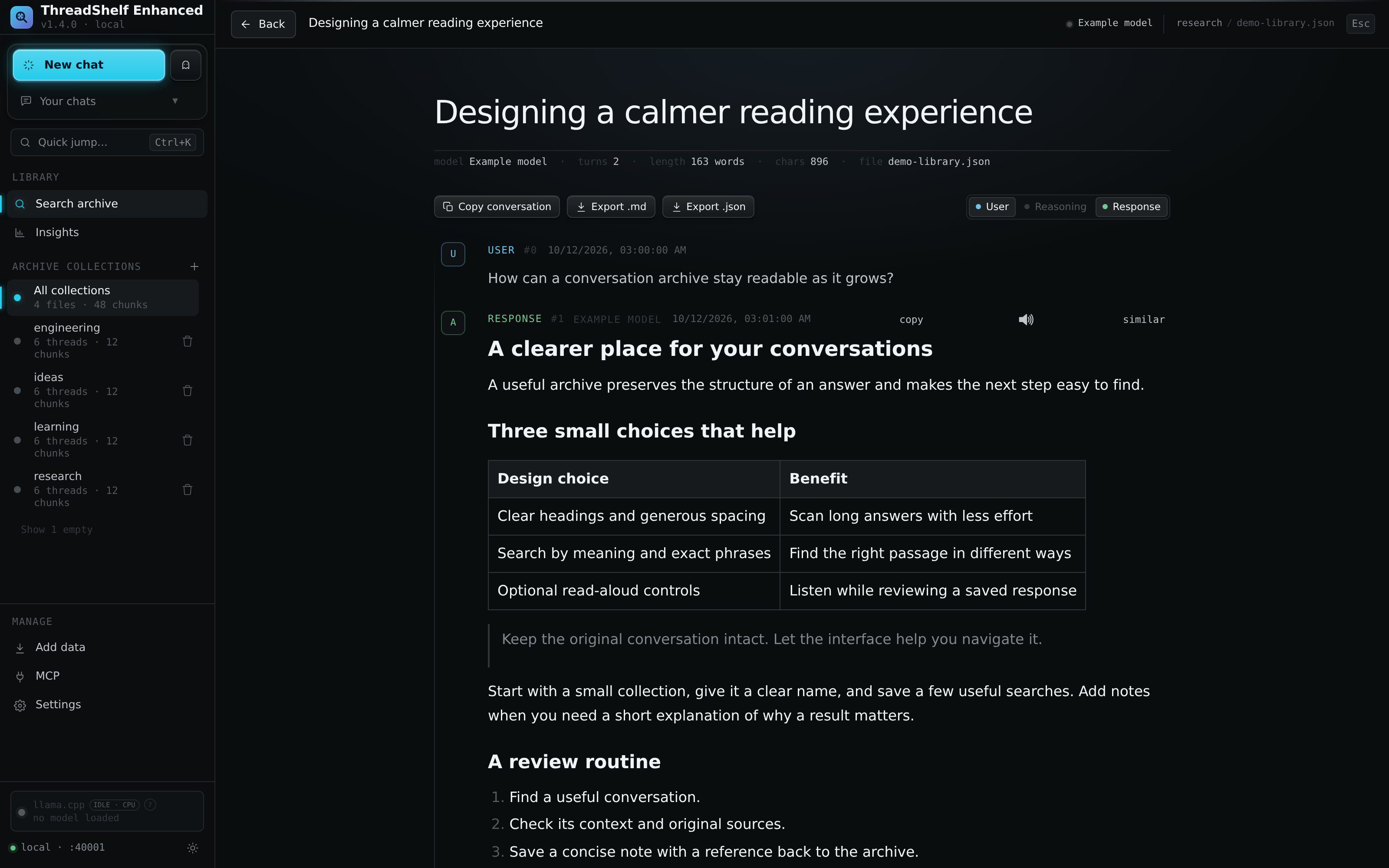
Open the complete thread
Select a search result to move from a matching passage to its conversation. Jump to match returns to the matched turn. The header identifies the collection, source, model when available, turn count, and word/character totals. Those totals describe the loaded conversation, not the number of visible blocks after filtering.
The reader normally uses stored normalized turns. For older collections without stored thread data, a source-file fallback may be required. Preserve source dependencies when upgrading or cleaning old archives; see Backups and migration.
A matched turn deliberately displays source text with search highlighting. It can therefore look different from the rich rendering of neighboring turns. This makes the location of a textual match explicit rather than hiding it inside a transformed diagram or widget.
Visibility and formatting are separate
The reader's User, Reasoning, and Response controls govern visibility. Reasoning is initially collapsed; a compact reasoning row can be expanded individually. Opening a search hit inside reasoning makes that context available. Long turns have Show more and Show less controls.
Imported conversations with ThreadShelf-authored continuations can also expose a Continuations control. It distinguishes appended turns from the imported portion without rewriting the original export.
In Settings → Server → Appearance and language, independent full-rich-rendering switches control user prompts, thinking, and responses. Turning one off keeps basic Markdown, including emphasis, lists, links, code, and tables. Advanced math, diagrams, and rich widgets remain readable as source. These switches do not delete content or change which roles are present in an export.
Supported rich content
| Content | Reading behavior |
|---|---|
| Markdown structure | Headings, quotations, lists, links, tables, and code retain their structure |
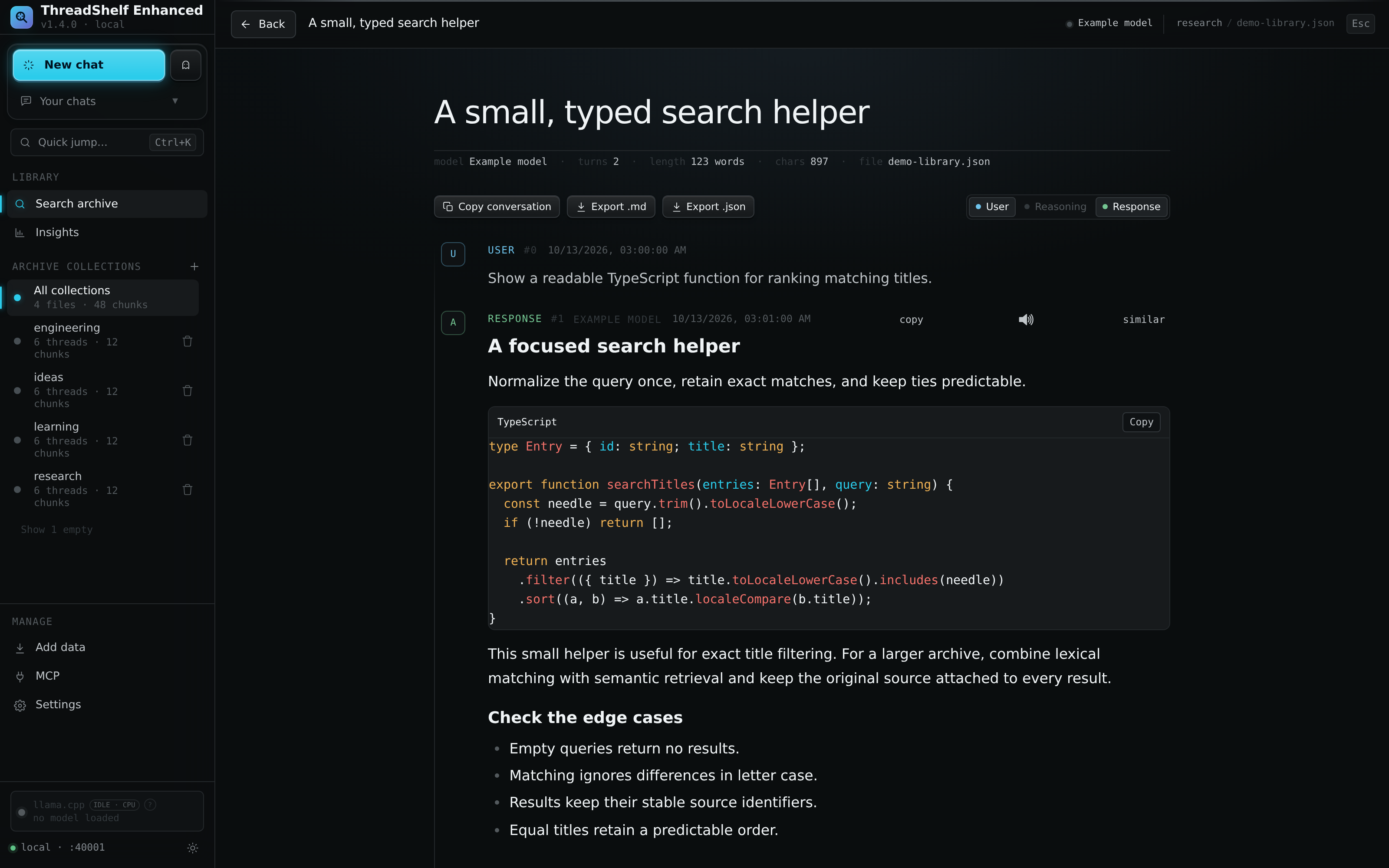
| Code | Syntax highlighting and code-copy controls preserve readable source |
| Mathematics | Supported expressions are typeset by bundled rendering code |
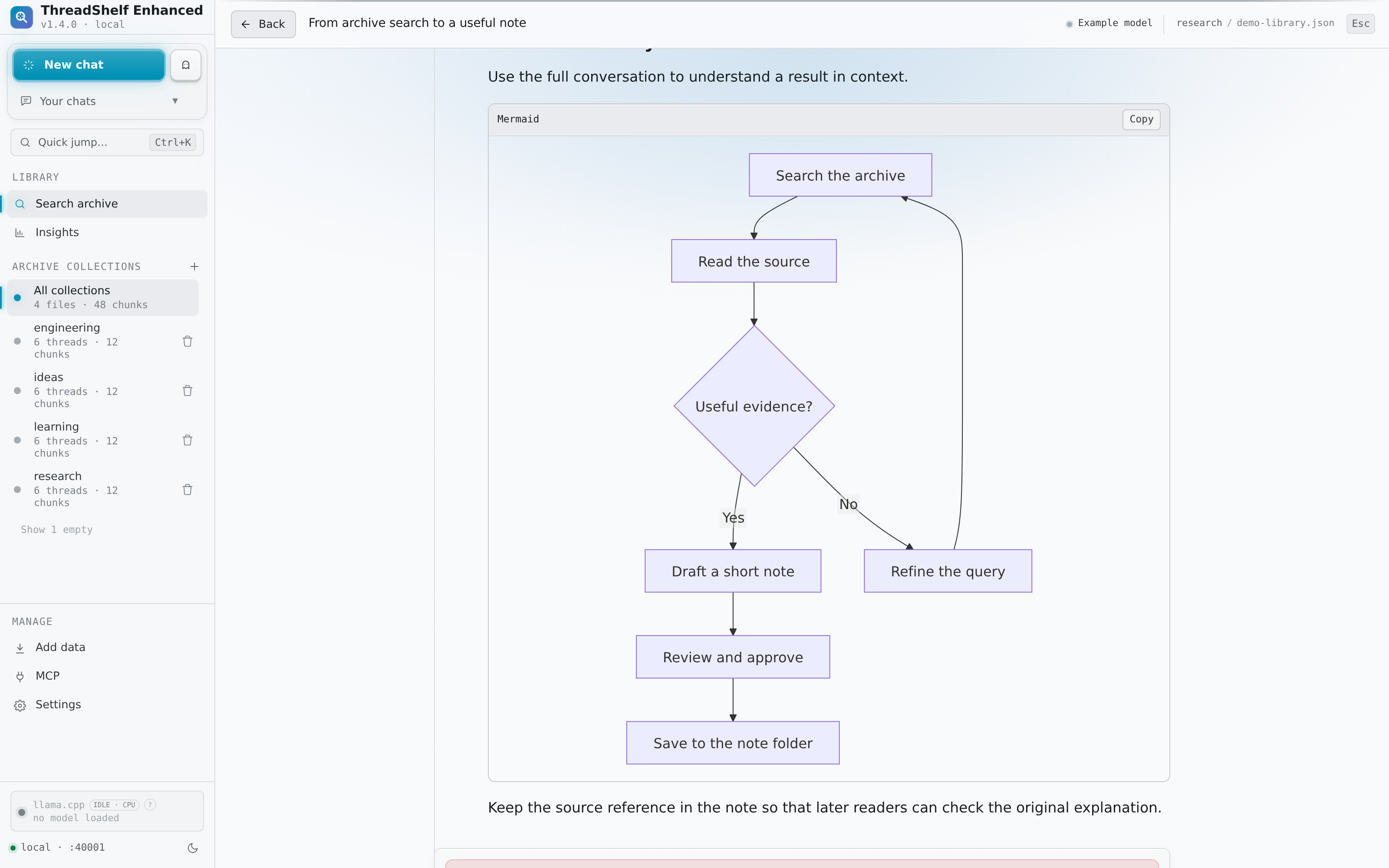
| Mermaid | Supported diagram blocks render alongside conversation text |
| Charts and rich export content | Recognized formats render when supported; unfamiliar widgets retain source or placeholders |
| Citations | Supported citation markers become readable references; missing source metadata cannot be reconstructed |
| Images | Inline local companions and supported external image references follow the configured loading policy |
Rendering libraries are bundled with the application. Expensive presentation work is deferred where possible to keep navigation responsive. Export formats evolve, so a readable fallback is expected when an exporter emits a structure the renderer does not understand.
Images and cache behavior
External images default to Click to load. Load automatically is a separate appearance preference. Either action can contact the original image host through the server's validated image-loading path. An image existing in an old conversation does not guarantee that its remote URL still works.
For local media, retain the companion files and relative paths during import. A browser folder upload, suitable ZIP, or server-local folder can preserve supported image companions. Moving only the JSON file can break references that depend on other files.
The optional image cache stores disposable bytes separately from the archive. It has independent settings and per-collection clearing. Clearing cached image bytes does not clear conversations. If a remote image has expired and its cached copy is removed, the server may no longer be able to retrieve it. The cache is not a substitute for preserving original export media.
See Import conversations for companion rules and Privacy and security for external-request boundaries.
Copy and export precisely
| Action | Content included |
|---|---|
| Copy conversation | Text from all loaded turns with role labels |
| Copy matched turn | The source text of the search-matched turn |
| A turn's Copy control | That turn's underlying text |
| Export .md | A readable document with title, available metadata, role headings, dates, and turn text |
| Export .json | Title and identity information, normalized turns, export time, and available original conversation data |
The JSON output retains raw and sourceIdentity when supplied by the archive. It is a structured export, not a byte-for-byte restoration of the provider's original file. Markdown favors portability and reading; it does not package binary attachments or recreate every rich widget in every Markdown viewer.
Hidden roles and collapsed content still participate in conversation-wide copy and export. If the purpose is to share only a response, use that turn's copy control or review and edit the exported document. Source paths and original metadata may also appear in exports, so inspect them before public sharing.
An exported thread is not a complete server backup. It omits unrelated conversations, indexes, settings, model/runtime state, and other files. Follow the backup guide for recoverable installation copies.
Continue or listen
Use the conversation's continuation controls after configuring an AI provider. Imported turns remain distinguishable from newly authored turns. A collection being replaced can temporarily block changes while its published content stays readable.
When speech is enabled, the speaker control can read a supported turn. Voice setup and access permissions are separate from rendering and visibility. Disabling speech hides its playback entry points; it does not remove the text.
Appearance and language
The application has light and dark themes and interface catalogs for English, Hungarian, German, Japanese, French, and Russian. Changing the interface language translates controls, not stored conversations, model names, or identifiers. Browser-local preferences may differ between devices that connect to the same server.
This handbook has its own light/dark/system theme control. It affects the documentation only.
Source references
Behavior is documented from the Enhanced source. For changes after this handbook was built, check the project changelog.