
Collections & insights
Organize your archive and understand what it contains.
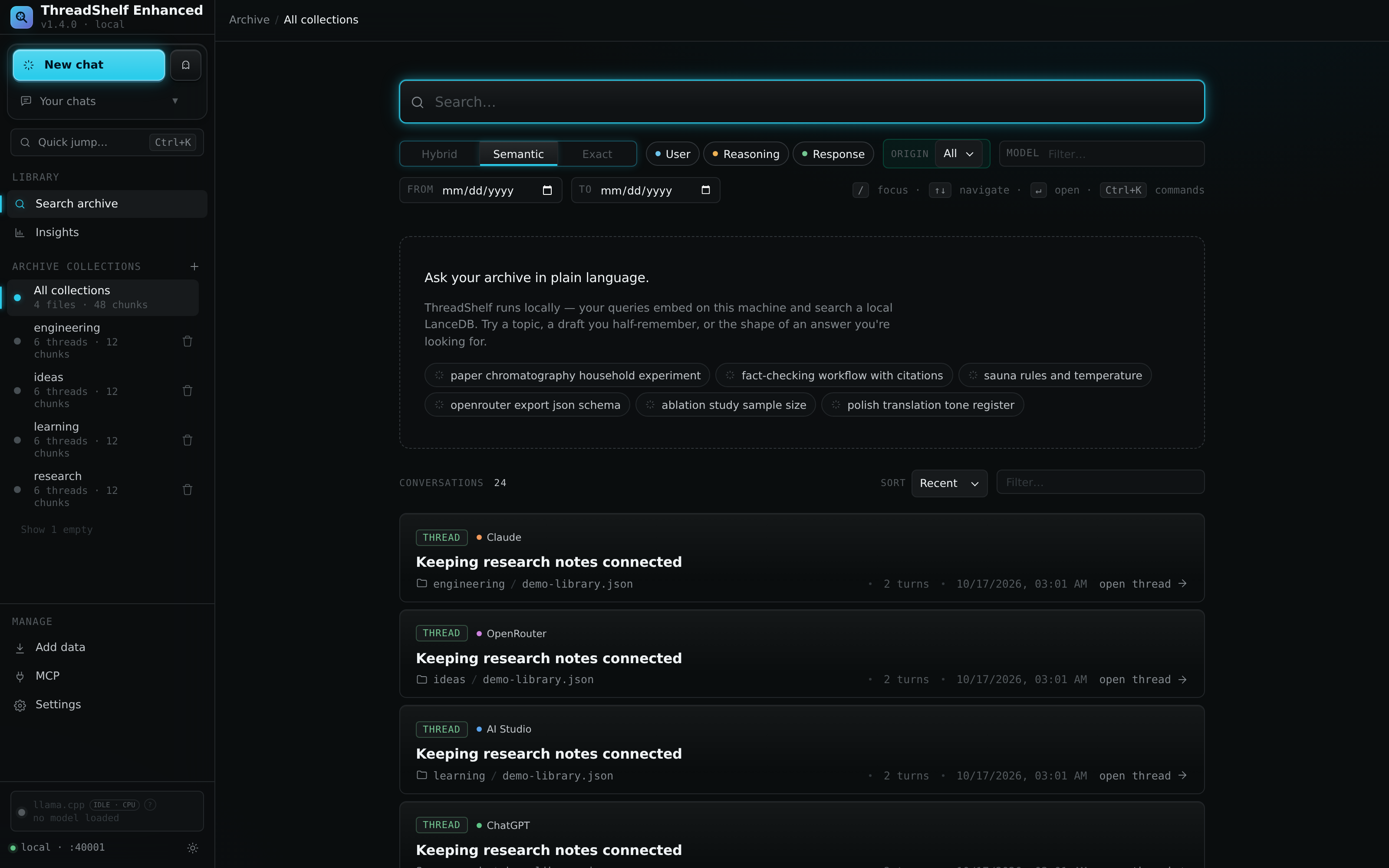
A collection is a named archive and search namespace. It groups conversations without requiring every export to have the same provider or file format. Use collections to separate projects, sources, or workflows, then search one collection or all of them as needed.
Choose useful boundaries
Names such as research, engineering, or reading_notes describe a purpose without tying the archive to a single upload date. Provider-based names can also be useful when each source is managed independently. The best boundary is usually the group that should share an import or replacement lifecycle.
Collection names are normalized to lowercase letters, digits, underscores, and hyphens, with a maximum of 63 characters and an alphanumeric first character. Spaces and unsupported characters are normalized rather than retained as a display name. Choose a simple name directly to avoid surprises in API paths and command-line arguments.
Use the + beside Archive collections to create a collection, or choose one while importing. Empty manual collections can exist before they have any conversations. The sidebar can hide empty entries; a hidden empty collection has not necessarily been deleted.
Know the reserved entries
| Name or selector | Meaning |
|---|---|
all |
A search/browsing selector across collections, not an ordinary collection to create |
chunks |
The default archive collection used by some API operations; protected from collection deletion |
threadshelf_conversations |
Saved conversations created by ThreadShelf; protected from bulk collection clearing and deletion |
Names beginning with __ |
Internal storage tables; not ordinary user collection names |
Select the intended collection explicitly in scripts. The archive HTTP search endpoint, search CLI, and MCP tool have different defaults; see their respective references instead of relying on an implicit scope.
Saved ThreadShelf chats have individual delete controls. A collection's protected status does not imply that every conversation is undeletable. Read the confirmation for the specific operation.
Files, conversations, turns, and passages
A provider export file can hold many conversations. A conversation can contain many user, reasoning, and response turns. A long turn can produce several searchable chunks, also called passages. These counts answer different questions.
For example, a single JSON file with two ten-turn conversations might contain more than twenty indexed passages if some turns are long. Empty or non-indexable text can have the opposite effect. Do not interpret a chunk count as a conversation count or a file count as the number of chats.
Source identity combines the collection, source file, and conversation key. This distinction matters for providers that put several chats in one file, for continuations, and for clients that keep bookmarks. Copying the same conversation into another collection creates a separately scoped archive entry; collections are not an automatic global deduplication system.
Add, replace, clear, and delete
| Operation | What to expect |
|---|---|
| Additive import | Adds or refreshes supported source content within the selected collection |
| Replacement import | Prepares a new complete selection before publishing it as the collection's replacement; see the preservation rules in Import jobs |
| Clear collection | Removes the collection's archive/index content while retaining a usable collection entry; it is not the uploaded-file cleanup action |
| Delete collection | Removes the collection and its stored content, registry entry, and collection-owned uploaded directory, subject to protected names and coordination |
| Remove finished job history | Removes terminal job records and disposable retry inputs; published archive content remains |
| Clear image cache | Removes disposable cached images without clearing archived text |
These operations are not interchangeable. Source exports selected directly from an external server folder are not rewritten by import, but copies inside a collection-owned upload directory can be removed by full collection deletion. Preserve an independent copy of original exports and media.
During replacement, the previous published collection remains readable. Writes can be temporarily blocked to protect the publication boundary. Use the job view to check progress instead of starting competing imports or removing storage lock files.
Use Archive insights
Insights summarizes the stored archive for one collection or all collections. It exposes conversation, turn, file, and indexed-passage totals; activity by month; model and provider distributions; and the longest conversations.
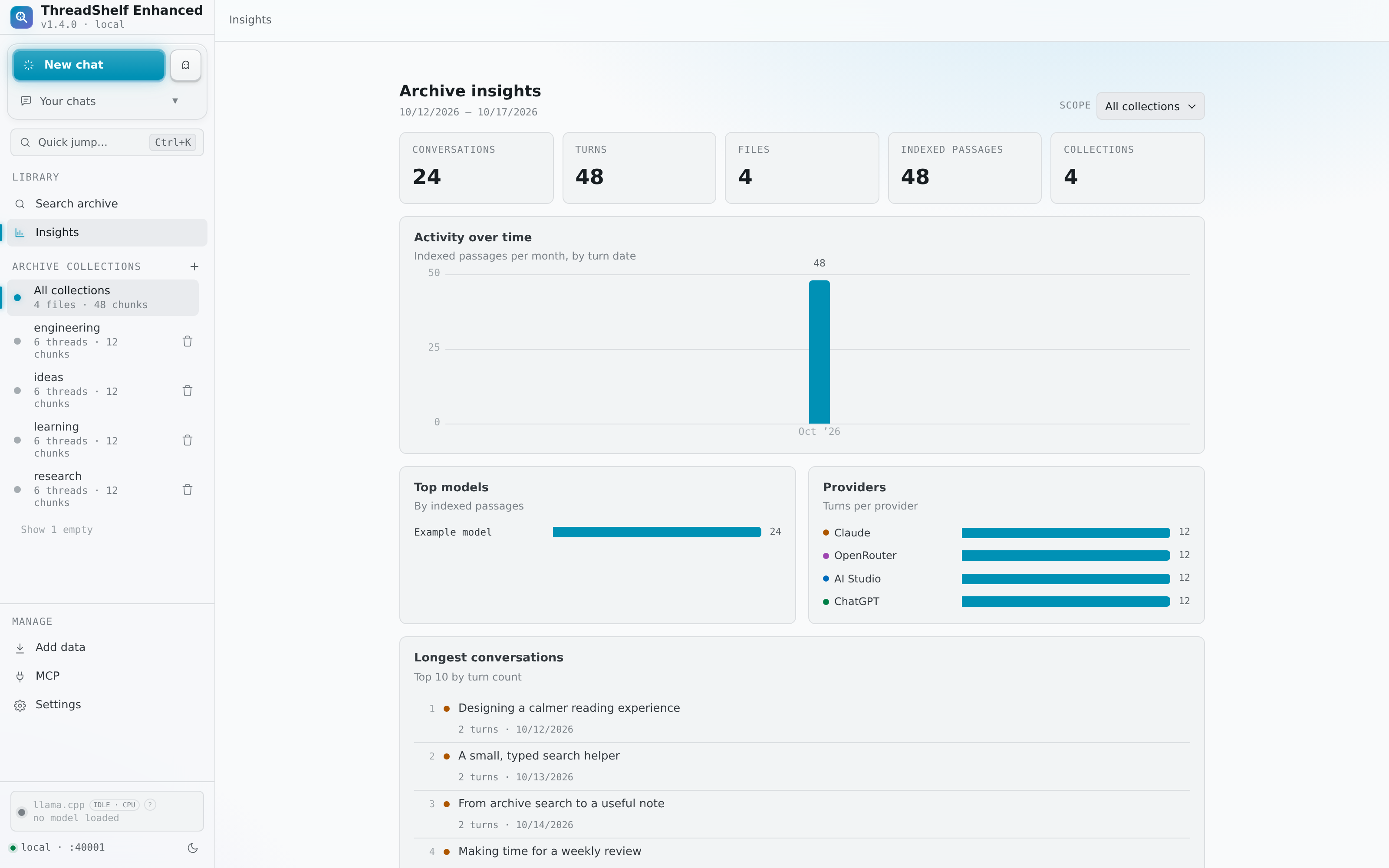
Read each chart's unit. Activity and top models are based on indexed passages, while provider distributions show turns. A lengthy answer can therefore contribute several passages. Dates reflect available turn metadata, not a billing ledger or a guaranteed account-wide activity history. Missing timestamps or model labels cannot be inferred from absent source fields.
The longest-conversation list opens the relevant thread. Use it as a navigation aid for large discussions, and then apply the reader controls or search filters to find the portion of interest.
Source references
Behavior is documented from the Enhanced source. For changes after this handbook was built, check the project changelog.